
In a world where everyone’s a filmmaker, combining videos on an iPhone is the secret sauce to turning those epic moments into a cinematic masterpiece. Whether it’s piecing together a family vacation or creating the next viral dance challenge, the ability to merge videos can elevate any project from “meh” to “wow!” But can you really do it with just a few taps? Spoiler alert: you absolutely can!
Overview of Video Combining on iPhone
Combining videos on an iPhone simplifies the creative process for users. With tools like iMovie or third-party apps, merging clips takes just a few taps. Raw footage from family vacations or short clips from events can turn into polished stories.
Many popular applications allow users to edit videos directly on their devices. iMovie, a built-in option, provides a user-friendly interface. Accessing the app’s features enables quick merging, trimming, and adding music. Third-party options like Splice and InShot offer additional functionalities for those looking to enhance their projects further.
Users can import multiple video files easily. After opening an app, selecting the desired clips typically follows. Using the timeline feature allows for precise adjustments, ensuring a seamless flow between merged videos.
Editing options may include adding transitions and effects. Users can apply filters or captions to elevate their merged videos. Many creators find that small changes can significantly enhance overall quality and engagement.
Exporting finished videos happens quickly within most apps. Sharing options range from social media platforms to direct messaging. As more people capture moments on their iPhones, merging videos opens up opportunities for creative expression. It not only captures memories but also showcases them in an impressive format.
Steps to Combine Videos on iPhone
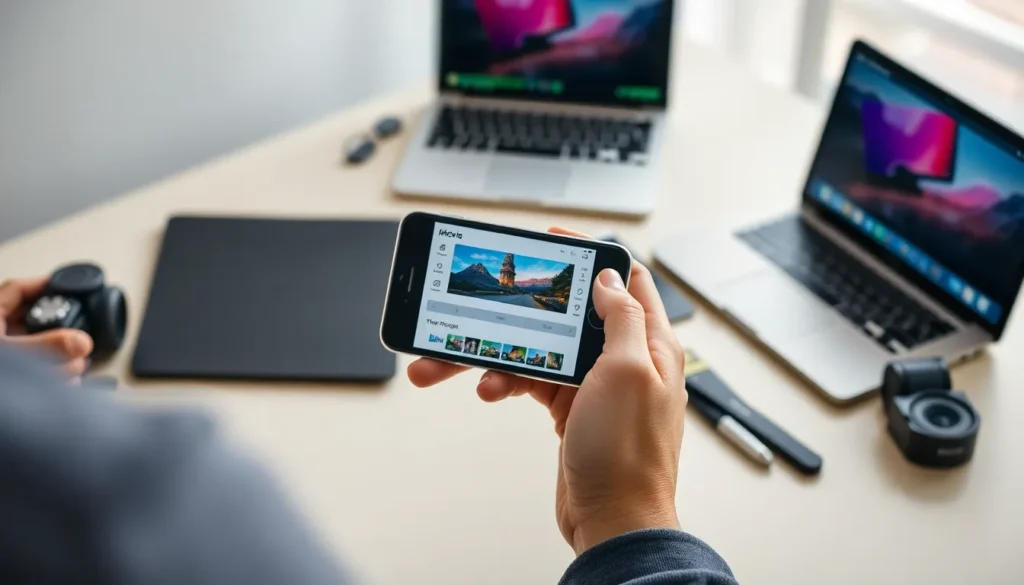
Combining videos on an iPhone is straightforward with the right tools. Users can choose from iMovie or the Photos app to create unique video compilations.
Using iMovie
Users can utilize iMovie for its intuitive video-editing features. First, they need to open the app and tap on the “+” icon to start a new project. Next, users select “Movie” and choose the clips to merge from their library. Once the videos appear on the timeline, they can rearrange them as needed. Adding transitions between clips enhances the final product. After editing, tapping “Done” allows users to export and share their combined video quickly.
Using Photos App
The Photos app also provides an easy way to combine videos. Users start by opening the app and selecting the “Albums” tab. They then choose the “Videos” album to find the clips they want to merge. After selecting the desired videos, tapping “Share” reveals an option to create a slideshow. Users can customize this by adjusting the order and duration of clips. Finally, they can save or share the created video directly from the Photos app.
Third-Party Apps for Video Merging
Combining videos on an iPhone can benefit from the use of various third-party apps. These applications offer additional features to ensure an enhanced editing experience.
Recommended Apps
Several apps excel in video merging. Splice stands out with its intuitive interface, allowing users to easily trim and merge clips. InShot offers versatile editing tools, perfect for adding music and filters. KineMaster provides advanced features, such as multilayer video editing for a professional look. FilmoraGo supports quick merging with smart transitions, appealing to those wanting efficiency. Users can explore VivaVideo, which focuses on simple merging, perfect for beginners.
Features to Look For
When selecting a video merging app, consider key features. A user-friendly interface simplifies the editing process. Look for timeline functionality, allowing easy adjustments of clips. Transition effects enhance the visual appeal of merged videos. Additional tools for music tracks and voiceovers add depth to projects. Options to export in multiple resolutions ensure versatility for sharing across platforms. Compatibility with various file formats promotes ease of use with existing video libraries.
Tips for Seamless Video Combination
Always ensure videos share similar orientations and resolutions before combining. This practice prevents unexpected cropping or stretching when footage merges. Keep your clips organized in albums for easy access—doing so simplifies the selection process.
Utilize iMovie’s timeline effectively. Users can rearrange clips effortlessly, allowing for quick modifications during the editing process. Experimenting with different transition effects enhances visual appeal. Each transition type can set a different mood or tone, so choose wisely to match the narrative.
Incorporate background music or voiceovers during editing. Music sets the pace, while voiceovers add personal commentary or storytelling. Adjust audio levels carefully, ensuring that dialogue isn’t drowned out by background sound.
Explore third-party apps for additional features. Splice excels in quick edits, offering a straightforward interface. InShot provides a range of filters and effects, enhancing creativity. KineMaster supports more complex edits, ideal for those familiar with video editing.
Test the video after combining clips. Playing it back ensures smooth transitions and proper sync of audio and visuals. Export videos in high quality to maintain clarity across platforms. Sharing options available on social media allow for easy distribution of finished projects.
Finally, save regular iterations of your work. Doing this preserves original clips, making it easier to return to previous edits if needed. Using these tips enhances the video fusion experience, allowing for stunning and shareable results.
Combining videos on an iPhone opens up a world of creative possibilities. With user-friendly tools like iMovie and various third-party apps at their fingertips, users can effortlessly merge clips and enhance their storytelling. Whether it’s a cherished family moment or a fun project, the ability to edit and share videos has never been easier.
By following simple steps and utilizing helpful tips, anyone can create impressive video compilations that capture the essence of their experiences. The journey of video editing is not just about merging clips; it’s about expressing creativity and preserving memories in a polished format. Embracing these tools can turn everyday moments into captivating visual narratives ready to be shared with the world.